


AOL: Email News Weather
4.154.21K Reviews
App Specs
- Version
- Varies with Device
- Updated On
- License
- Free
- Downloads
- 10,000,000+
- Developer
- AOL Media LLC
- Categories
- Productivity
- Platform
- Android, iOS
Screenshots
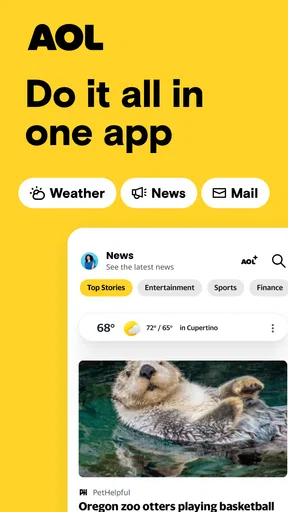




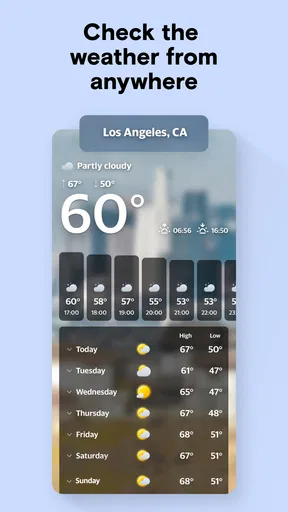
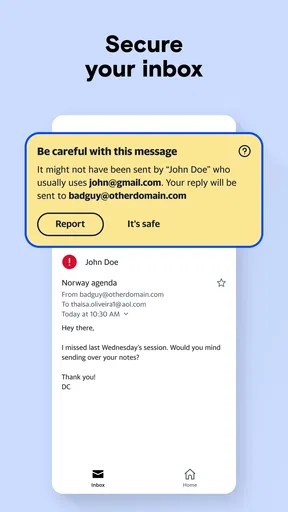
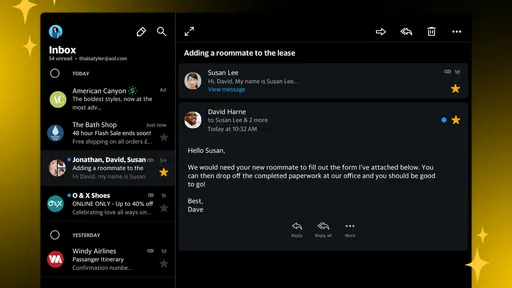
 Analysis by AppCompare
I tend to appreciate apps that make a shared household routine simpler without pretending everyone needs the same setup. AOL: Email News Weather brings email, news, and weather together, which can make it a handy stop when I’m checking messages before work, scanning headlines, or deciding whether a plan needs a raincoat. Its appeal is practical rather than elaborate: fewer app switches, with a few everyday information needs within reach.
One phone, different routines
On a household device, the first question is not how many features an app has but whose account and preferences are active. Email is personal, while weather and news may be useful to everyone. I would treat the app as an individual’s workspace unless everyone using the phone has clearly agreed on how accounts and settings are handled. A shared screen does not make separate inboxes or personal recommendations interchangeable.
A realistic use is one person checking a message while another asks about the day’s forecast. That convenience works best when the device’s owner is comfortable with the account currently signed in and other people know not to open private messages. For a genuinely communal display or family tablet, a dedicated shared calendar or household information tool may be a better fit; this app is more naturally suited to personal use that happens around other people.
Set boundaries before sharing access
I would decide who is responsible for the signed-in email account before letting someone else browse. If a partner or relative needs to check their own mail, separate accounts and clear sign-in habits matter more than convenience. Switching between people casually can lead to confusion about which inbox is open or whose preferences affect the news feed. I would also avoid leaving the app open on an unlocked device if private messages might appear.
One useful habit is to keep household coordination out of an inbox that several people can see. Email can be helpful for sending a school notice, appointment detail, or travel confirmation to the right person, but it is not automatically a shared task list. If everyone needs to track who is doing what, a shared calendar or checklist is easier to interpret than relying on one person’s messages. The app can support communication; it should not be mistaken for a family organizer.
Age, trust, and expectations
The app is rated for Everyone 10+, so I would still think about how a younger person uses its email and news areas rather than treating the age label as a household rule. A child who only wants to check the forecast has a different need from someone who will read headlines or manage an inbox. I would set expectations about which account is in use and whether the device is being shared, then supervise according to the child and the household’s own boundaries.
For adults who already use AOL email, the combination may feel especially convenient. AOL Media LLC develops the app, which is free to install and includes optional in-app purchases priced from $1.99 to $19.99 per item. Its average rating is 4.2 from around 182,000 ratings, and it has been installed over 10 million times. Those figures give a sense of its established audience, but they do not tell me whether its particular mix suits a household; the deciding factor is whether one person wants email, headlines, and forecasts together.
Worth Reading Before You Choose

EA SPORTS FC Mobile 26 Is a Bigger Football Game, but It Takes Time

Flipboard Shows What News Apps Must Do Beyond the Feed

Switching to Android Auto Means Rethinking Your Driving Routine

Google Calendar Makes a Crowded Week Easier to Manage

Ludo King Makes the Most of the Minutes Between Plans

Baby Panda World Brings Quick Play to Modern Phones, but Its Game Library Feels Busy
All-in-One Convenience
AOL: Email News Weather really packs a punch by combining multiple functionalities. First off, it’s an efficient email client. If you're tired of jumping between apps to check different email accounts, this app lets you manage them all seamlessly. Setting up was a breeze, and I love how it keeps everything organized.
Now, onto the news feature. It’s like having a mini newspaper tailored just for you. From global headlines to local news, it covers it all. You can customize the topics you’re most interested in, and the app does a great job of delivering fresh content. It’s a sweet spot for news junkies like me who want everything at their fingertips.
Weather Updates? You Bet!
The weather feature is another highlight. I mean, who doesn’t want to know if they need to grab an umbrella on the way out? The app provides real-time weather updates with a neat little widget that’s easy to understand. It even sends alerts for severe weather conditions, which is super handy if you’re planning a day outdoors.
What’s really cool is the detailed forecast it offers—hourly, daily, and even weekly. It’s like having a meteorologist friend who’s always got your back. I find myself checking it more than I care to admit, just because it’s so darn convenient.
When combining tools is useful—and when it isn’t
The strongest case for keeping these functions together is a quick routine: I can check a message, catch up on a topic I follow, then look at the forecast before leaving. Compared with installing a separate mail app, a dedicated news reader, and a weather app, this is simpler if I only need a dependable overview of each. It is less compelling if I already rely on a specialist email client for sorting and work, a publication app for deep reading, or a weather service for detailed planning. One place is convenient, but it is not automatically the best place for every job.
A small practical tip is to use the three areas for different levels of attention. I would treat the inbox as the place for messages that need a response, headlines as a quick scan rather than a complete account of an issue, and the forecast as an initial planning check. For an important trip or outdoor event, I would verify conditions again closer to departure instead of assuming one glance settles the question. That keeps the app useful without asking it to replace every specialist tool.
Seamless User Experience
The design of the app is clean and intuitive. Everything is where you expect it to be, which makes navigation a breeze. Whether you’re a tech wizard or just someone who wants things to work on the first try, you’ll appreciate the straightforwardness here.
One thing I noticed is how fast it loads—no lag, no fuss. This is a big plus for those of us who are always on the go and need information pronto. Plus, the app doesn’t hog your phone’s resources, which is a relief.
Security is another area where the app shines. It offers a bunch of options for securing your account, so you can feel at ease knowing your data is safe. Who doesn’t want that peace of mind?
Everyday checks without overcomplicating them
For a busy morning, I would start with the forecast to decide whether to change my commute or carry an umbrella, skim a couple of selected news topics over breakfast, then check whether any overnight email needs action. That order makes the app feel like a useful dashboard rather than a reason to keep reopening it all day. If notifications become distracting, I would be selective about which kinds of updates I actually need to interrupt me; not every headline or message deserves the same urgency.
There is also a difference between keeping information together and keeping it organized for a team. A household can use email to forward a confirmation or share a useful article, but the app does not turn those items into a shared plan by itself. If two people need to coordinate a pickup, for example, I would send the essential details and put the commitment somewhere both can reliably check. That extra step avoids making one person’s inbox the household’s memory.
Who will get the most from it
I would recommend it to someone who already uses AOL email or simply wants a familiar, low-effort place for routine mail, a personalized headline scan, and a forecast. It also makes sense for people who prefer a compact setup over choosing and maintaining separate apps. Its free price lowers the barrier to trying that approach, though optional purchases mean it is sensible to review any purchase prompt before proceeding rather than assuming every part of the experience is included at no cost.
I would skip it if I needed a highly specialized workflow: extensive email rules, a dedicated research environment for news, or weather tools tailored to demanding outdoor decisions. Likewise, a household that wants distinct profiles for every person should not assume a combined app will provide that arrangement. In those cases, purpose-built alternatives or separate accounts and apps are clearer. The trade-off is straightforward: consolidation can save taps, but dedicated tools may offer a better fit when one function is central to your day.
Final Thoughts
Overall, if you’re looking for an app that combines email, news, and weather in one sleek package, AOL: Email News Weather is worth a shot. It’s like having a Swiss Army knife for your digital life. It’s reliable, easy to use, and, most importantly, it gets the job done.
So, if you’re tired of juggling multiple apps just to get through the day, give this one a download. You might just find it’s exactly what you needed. Happy browsing!
A practical household verdict
For a household, I see this as a personal convenience that can still help with small moments of coordination—not as a shared family hub. Keep account access intentional, use email to pass along information rather than assign every task, and let each person choose the news and weather tools that suit them. Released on July 22, 2010, and rated Everyone 10+, it has a long-running, broad-use identity, but the right choice still depends on how much the household values an all-in-one routine over separate, more specialized apps.
Pros
- Clean and user-friendly interface.
- Quick access to latest news updates.
- Customizable weather alerts.
- Seamless integration with AOL services.
- Multiple account support.
Cons
- Occasional ad interruptions.
- Limited customization options.
- Can be slow on older devices.
- Some features require internet.
- Email management could improve.
FAQs for AOL: Email News Weather
What features does the AOL: Email News Weather app offer?
The AOL app provides a comprehensive suite of features for staying informed and connected. It includes email management, the latest news updates, and weather forecasts. Users can customize news feeds to match their interests and receive real-time weather alerts. Additionally, the app offers seamless integration with AOL Mail, allowing easy email access and management.
Is the AOL app free to download and use?
Yes, the AOL: Email News Weather app is free to download on both Android and iOS platforms. While the core features such as email, news, and weather are free, there may be optional in-app purchases or advertisements that enhance the user experience. Users can enjoy the essential functions without any monetary commitment.
How user-friendly is the AOL app for managing emails?
The AOL app is designed with user convenience in mind, offering a clean and intuitive interface for managing emails. Users can easily compose, read, and organize their messages with options for folders and filters. The app supports multiple email accounts, making it versatile for personal and professional use. Its straightforward navigation ensures a smooth email management experience.
Does the AOL app require an internet connection to function?
Yes, an active internet connection is required to use the AOL app. Features such as checking emails, receiving news updates, and accessing weather forecasts depend on a stable connection. However, once emails are downloaded, users can access them offline, though live updates and new messages will need internet access.
How secure is the AOL app with personal data and emails?
The AOL app prioritizes user security by employing encryption protocols to protect emails and personal data. It supports secure login processes and offers additional security settings such as two-step verification. Users are encouraged to regularly update the app to benefit from the latest security enhancements and ensure their data remains protected.


